A. Your browser should be the latest version. To install the latest versions, check the links below:
- Google Chrome: https://www.google.com/chrome/
- Mozilla Firefox: https://www.mozilla.org/en-US/firefox/new/
- Internet Explorer: https://www.microsoft.com/en-us/download/internet-explorer.aspx
- Microsoft Edge: https://www.microsoft.com/en-ph/windows/microsoft-edge (only on Windows 10)
B. Once you have the latest version, make sure that the hardware acceleration is enabled in your browser to ensure smooth performance of Hit It Rich! – New Experience.
- In Chrome: 1. Type chrome://settings/ in the address bar of the browser then press ‘Enter’.
 2. Scroll down to the bottom of the page then click on ‘Advanced’.
 3. Scroll down to the bottom of the page and under ‘System’, you will find the ‘Use hardware acceleration when available’; Make this enabled by moving the slider to the right.
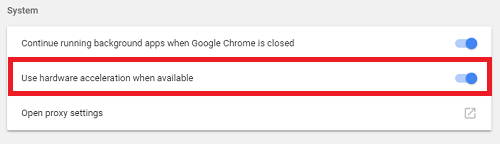 4. Close and re-launch Chrome.
 - In Firefox: 1. Click on ‘Menu’ in the top right corner of the browser.
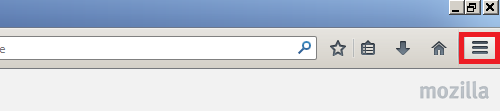 2. Click on ‘Options’.
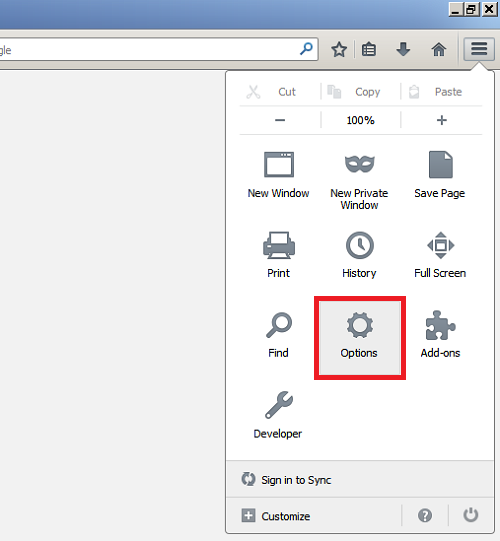 3. Click on ‘Advanced’ then ‘General’.
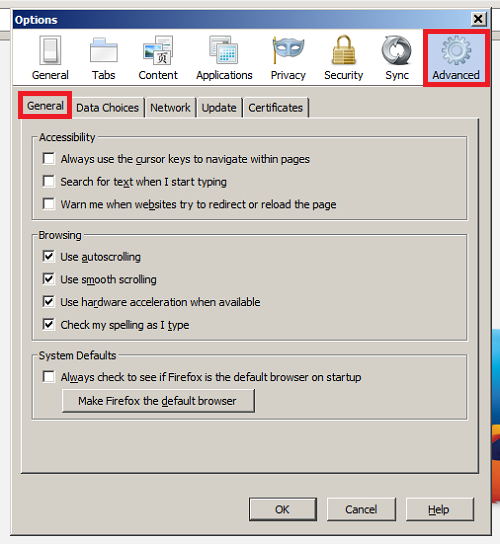 4. Under ‘Browsing’, tick the box for ‘Use hardware acceleration when available’.
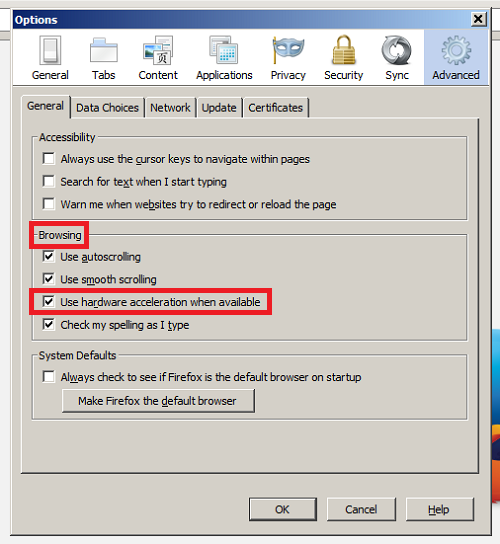 5. Close and re-launch Firefox.
 - In IE: 1. Click on ‘Tools’ in the top right corner of the browser.2. Click on ‘Advanced’.3. Look for ‘Use software rendering instead of GPU rendering’ and un-tick the box next to it then click on ‘OK’.
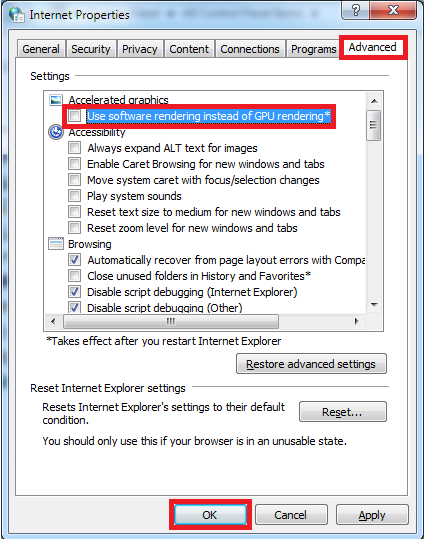 4. Close and re-launch IE.
_-_-_-_-_-_-_-_-_-_-_-_-_-_-_-_-_-_-
Hit it Rich! Free Casino Slots Game GUIDE