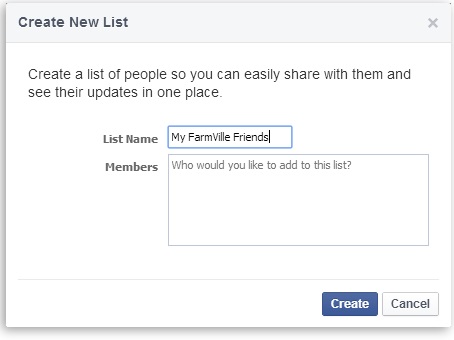
Here are a few simple steps to filter your FarmVille friends’ game feeds.1. Look for ‘Friend Lists’ (under ‘Shortcuts’) on the left side of your Facebook Home Page. 2. Click on Create List. Name your list and enter your FarmVille Friends and Neighbors’ name in the space provided.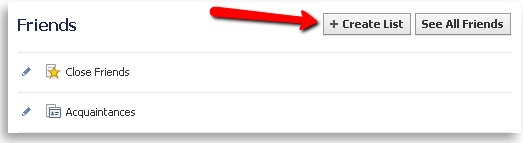
 Easy-peasy-lemon-squeezy! Just click on your list which will appear in the Friends section every time you want to check for your FarmVille Friends posts. (Remember, the list will not filter just the FarmVille feeds but will filter all your Friends posts. Now, it’s all in one place!)
_-_-_-_-_-_-_-_-_-_-_-_-_-_-_-_-_-_-
FarmVille Game GUIDE