In order to play our most popular web games, your computer needs to have at least Adobe Flash Player 11 (or higher) installed. We recommend that you always keep your Flash Player updated to the most recent version. How do I know what version of Flash I have? Click the link below and you will be taken to the Adobe Flash Player website to check what version you have: http://get.adobe.com/flashplayer/about/ The box labeled ” Version Information” will show your currently installed Flash Player version. The table underneath will show you what is the latest Flash Player version available for your platform. 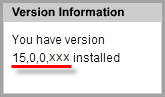 How do I install or upgrade Flash Player? Google Chrome: Here are the steps on how to update your Flash Player on Chrome:
On your computer, open Chrome.
In the address bar at the top, enter “chrome://components” and press Enter.
Look for “Adobe Flash Player.”
Click “Check for update”.
If you see “Component not updated” or “Component updated,” you’re on the latest version.
Go back to the page with the Flash content. If it doesn’t open automatically, at the top left, click Reload.
Installing or upgrading Flash Player for other browsers:
Go to the Adobe Flash Player download website:http://get.adobe.com/flashplayer
Make sure that the correct operating system and browser are selected.Caution: Adobe’s download page may have pre-selected a check box to install optional software (such as Google Chrome or McAfee Security Scan). If you do not want to install this optional software, you need to untick the checkbox before downloading Flash Player.
Download the installer file onto your computer and open the download folder.
Close all browsers before running the installer file. Make sure that you have privileges for installing software on your computer.
Run the installer file and follow the instructions for the installation process.If you encounter any problems during the installation, please check Adobe’s help pages (Links: PC / Mac) for possible solutions.
_-_-_-_-_-_-_-_-_-_-_-_-_-_-_-_-_-_-
FarmVille 2: Country Escape Game GUIDE