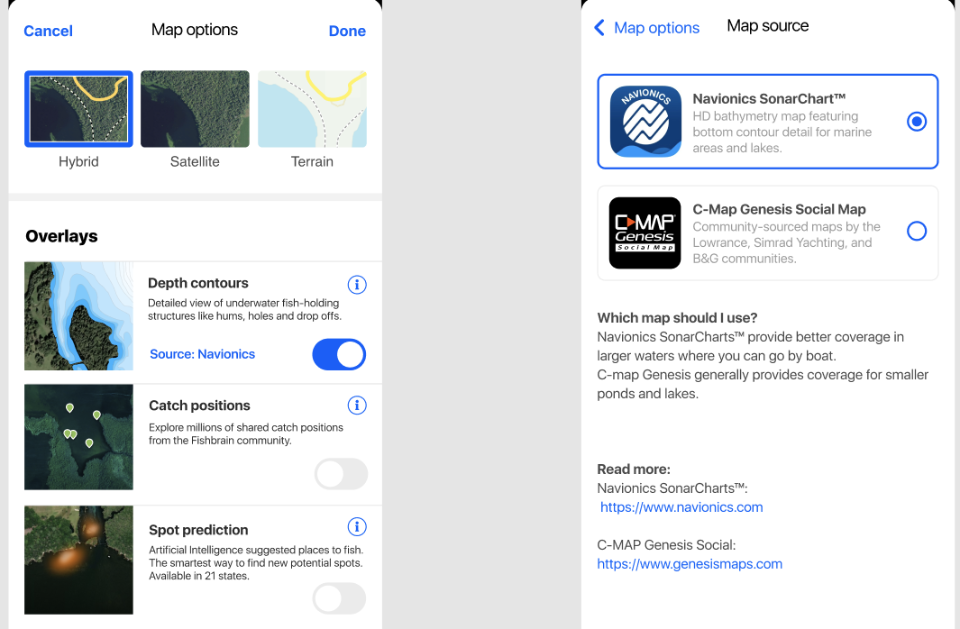
Fishbrain Pro members in the US and Canada have the option to view both sources of depth maps. You can switch between sources from the map setting:
- Tap on Map
- Tap the Gear icon beneath the different map layers
- Tap “Source” under Depth Contours
- Here you can switch between Navionics and C-Map
_-_-_-_-_-_-_-_-_-_-_-_-_-_-_-_-_-_-
Fishbrain GUIDE