Your Trainer Profile displays key information about your Trainer and shows your progress towards reaching a new level, achieving weekly walking milestones, earning medals, and more. To access your Trainer Profile, tap your Trainer’s portrait in the bottom left corner of the Map View: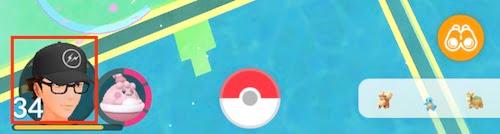
Profile Features
 1. Trainer nickname and your buddy’s nickname2. Trainer avatar3. Active buddy4. Current level and progress towards next level5. Buddy history – Tap to see all the Pokémon you’ve ever set as your buddy. 6. Journal – Displays recent activity, such as Pokémon you’ve caught and battles you’ve won. 7. Style – Tap to change your avatar’s clothing and physical features.
  8. Weekly walking goals – Walk 5, 25, or 50 km to earn rewards at the end of the week. Walking higher distances yields greater rewards.9. Egg incubation progress and additional weekly statistics
 10. Gyms Recently Visited – Tap a Gym to view statistics related to upgrading that Gym’s Badge. Tap "List" to see all the Gyms you’ve visited and sort by various factors. 11. Medals – View all the medals you can earn, as well as your progress towards earning or upgrading each medal.
_-_-_-_-_-_-_-_-_-_-_-_-_-_-_-_-_-_-
Pokémon GO Game GUIDE