Portal Scanning is an opt-in feature that allows some Ingress Agents to record a stream of images of Portals and provide related information to Niantic, including the time and location of the recording, how your phone moved while you were recording, and some general characteristics of your device.  Information gathered during Portal Scanning allows Niantic to generate accurate, dynamic 3-D maps of Ingress Portals, improving our understanding of how virtual objects persist, how they’re grounded in specific locations and where they are in relation to each other. Basically, devices will better understand what they are looking at in order to augment reality in real-time and allow Niantic to explore and deliver new types of AR experiences, which require an accurate and up-to-date 3-D map of the world.
Supported Devices
- iOS: Portal Scanning is available on iPhone 6s and newer devices running iOS 11+.
- Android: Portal Scanning is available on devices running Android 7.0+ and can support Google Play Services for AR. Supported devices must install Google Play Services for AR from the Google Play Store. A list of supported devices can be found here.
Portal Scanning Eligibility
This feature is currently only available for level 16 players and recursed players in the United States with supported devices. If you don’t meet these criteria, the Portal Scanning option won’t appear in your app. If you are eligible, you can opt-in by following these steps:
To scan a Portal:
 Any information you choose to send Niantic is automatically anonymized once uploaded to our secure servers, which includes extra privacy measures like blurring potentially recognizable objects like faces or license plates. Niantic doesn’t collect or store any personal data in connection with this information, and it is not tied to specific player accounts. For more information, please read our privacy policy.
What we’re looking for in a Portal Scan:
- Ideal scanning candidates are Portals you can safely walk completely around, like statues and sculptures.
- A 20-30-second scan that keeps the Portal in the center of the frame and is visible from top to bottom within the frame.
- Maintain a consistent movement speed and distance between you and the object.
- If possible, walk a full 360 degrees around the Portal. If walking all the way around the Portal isn’t possible, 180 degrees will still work.
- Portal Scans taken in various environmental conditions (lighting at various times of day, different types of weather, etc.).
For your safety, always be aware of your surroundings when you are scanning.
Portal Scanning FAQs
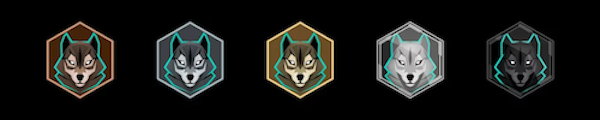
What do I get for contributing?Agents will receive the Scout medal for successfully uploaded Portal Scans:
- Bronze: 50
- Silver: 250
- Gold: 1,000
- Platinum: 3,000
- Onyx: 6,000
 Do I have to capture the entire Portal object in the frame? What if the object is too big (for example, the tower of a building)?If the Portal is too big or too far away to capture with a single scan, try scanning the Portal with multiple scans, keeping some good overlap between each scan.Can I scan the same Portal multiple times?Yes. Try taking videos at different times of the day or different weather conditions. What if I get people/cars in my recording?Faces and license plates will be obscured, but try to capture the Portal without obstructions if it’s possible to do so. How do I upload videos later if I don’t want to use my data on it now?Tap the “Upload Later” button and go to your Settings menu to upload when you’re connected to Wi-Fi. What happens when I submit a Portal Scan? Are Portal Scans accepted and rejected by reviewers, similar to Portal nominations?All successfully uploaded Portal Scans count towards the Scout medal. Portal Scans aren’t reviewed by Agents in the same way Portal nominations are.
_-_-_-_-_-_-_-_-_-_-_-_-_-_-_-_-_-_-
Ingress Game GUIDE