Here’s a list of ways to manage the visibility of your posts published on Facebook.
Managing your global posting settings
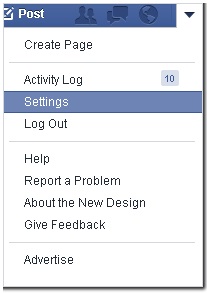
1.) Go to your Facebook Settings page. Find the arrow button at the top-right portion of your screen and choose
Settings
.
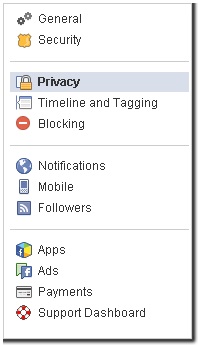
2.) Once the settings page loads, click
Privacy on the left side of the page.
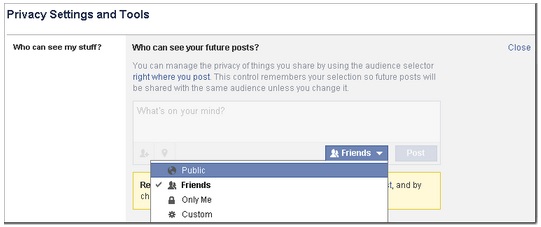
3.) Click on the
Edit link beside
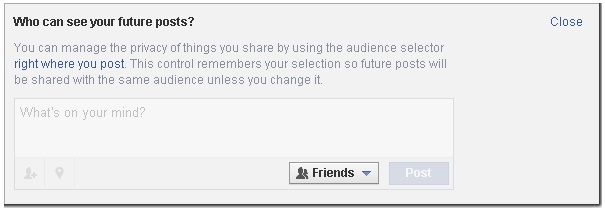
Who can see your future posts, and choose either
Publicor
Friends for the setting.
Managing the who can see your FarmVille activity
1.) From
Settings page, and select
Apps.
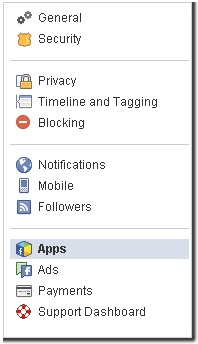
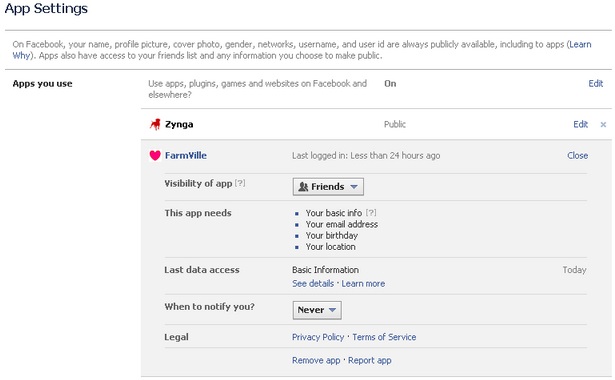
2.) Find
FarmVille, and click on the
Edit link.

3.) Choose either
Public or
Friends on the button next to
Visibility of app.
Managing who can see a specific post from the game
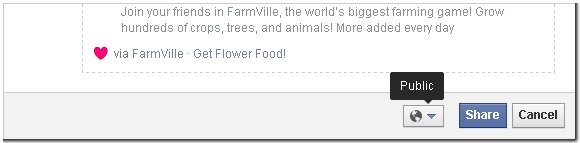
It’s also possible to change the visibility of your FarmVille posts when in the game as well. Just click on the icon beside the Share button and change to either Public or Friends.
_-_-_-_-_-_-_-_-_-_-_-_-_-_-_-_-_-_-
FarmVille 2: Country Escape Game GUIDE
哈利波特:巫師聯盟