Here’e how to prevent Facebook from auto-publishing your posts:
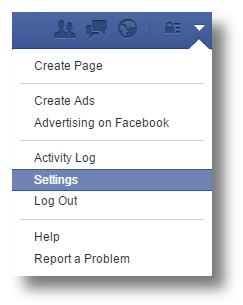
1. Click on the gear icon found at the top right of your Facebook page and select
Settings
.
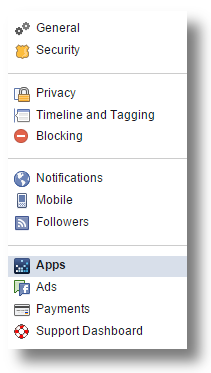
2. Click the
Apps tab on the left side of the page.
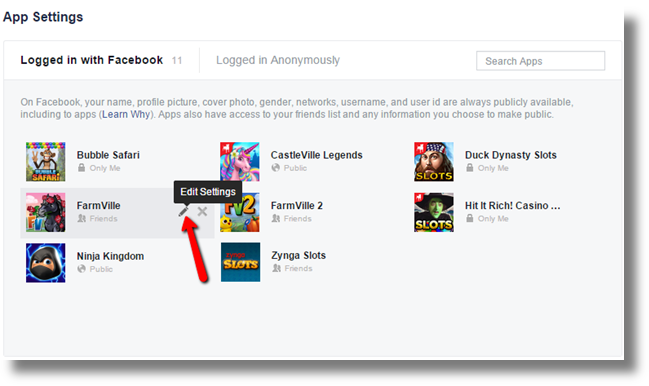
3. Click on
Edit Settings link for FarmVille.
4. Under the "This App Can" section, disable the setting to post on your behalf by removing the check-mark from the circle.
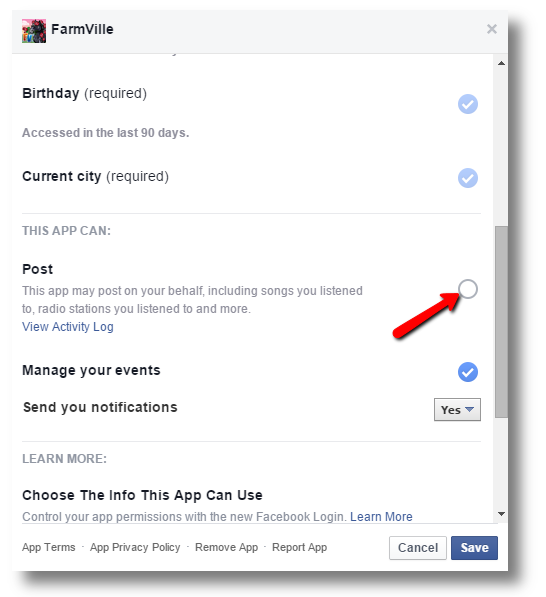
Don’t forget to hit Save if you’ve made any changes!
_-_-_-_-_-_-_-_-_-_-_-_-_-_-_-_-_-_-
FarmVille 2: Country Escape Game GUIDE
哈利波特:巫師聯盟