We monitor our game performance very closely and make every effort to let you know in advance when your connectivity may be hampered due to issues on our end. Remember that any time you experience a loading issue, a good rule of thumb is to try refreshing the page once or twice. If refreshing does not result in your game loading properly, try the following troubleshooting measures.
1. Use a plug-in (Ethernet) network connection
rather than
wireless.
Ethernet connection or wired connection is more reliable, secured and much faster than wireless connections. Wireless network’s performance may be affected by the distance between your computer and modem, number of devices connected to the network, and physical obstructions like thick walls.
This makes wired connection ideal for playing FarmVille and other online games since there’s a direct and stable line between your computer and modem.
2. Close your other internet applications, especially any file-sharing applications or concurrent streaming video.
3. Perform a power cycle.
4. Check your internet speed.
How to power cycle
Note: It is important to follow these steps in order. You can skip steps 3, 4 and 8 if you are not using a router.
1. Shut down your computer.
2. Turn off the modem.
3. Turn off the router(if you have one).
4. Unplug the power cables of your modem and router(if you have one).
5. Wait for 45 seconds to a minute.
6. Plug the power cables back into your modem and router(if you have one).
7. Turn on your modem first and wait for the lights to become stable.
8. Turn on your router and wait for the lights to become stable.
9. You can now turn on your computer that is connected to the network.
10. Don’t run any application except your browser and FarmVille.
How to check internet speed
Low download speed will result to slow game play or loading issues. Let’s take a look at your internet speed by following this guide:
1. Open your browser and visit this website
click here or use any speed test app or website that you prefer.
2. Click "Begin Test" button.
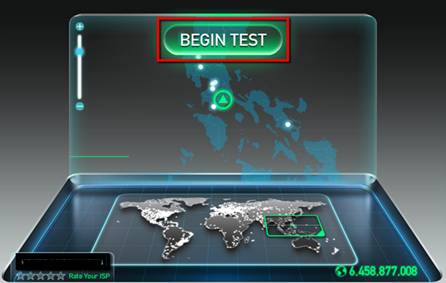
3. Wait while speedtest.net calculates your ping, download speed and upload speed.
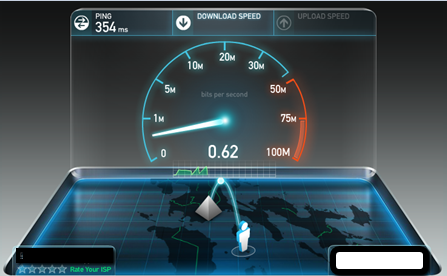
4. Results will appear once speedtest.net finished calculating your your ping, download speed and upload speed.
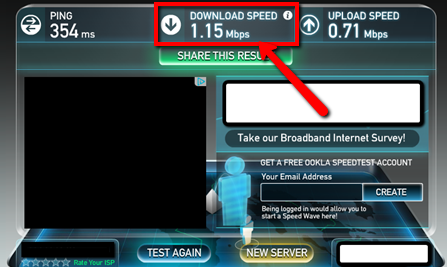
5. Compare the result of speedtest.net to your subscribed speed.
6. If your download speed based on the test is lower than your subscribed speed, please contact your Internet Service Provider (ISP) for assistance.
_-_-_-_-_-_-_-_-_-_-_-_-_-_-_-_-_-_-
FarmVille 2: Country Escape Game GUIDE
哈利波特:巫師聯盟