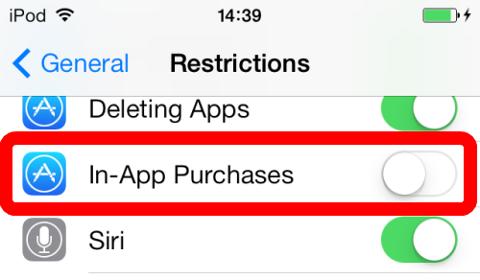
It is possible to disable In-App Purchases from the iOS settings menu. Return to you iPhone home screen, and select Settings -> General -> Restrictions. Tap enable restrictions, type in a passcode, then find and disable In-App Purchases.
You can also change the security settings to remove the default 15 minute "no password" window; this will mean that you’re asked for a password every time you attempt to make a purchase rather than every 15 minutes. Simply change the Require Password setting from 15 minutes to Immediately.
iOS 6

iOS 7
_-_-_-_-_-_-_-_-_-_-_-_-_-_-_-_-_-_-
Clumsy Ninja Game GUIDE