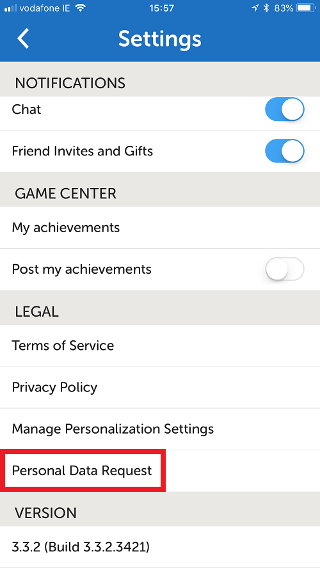
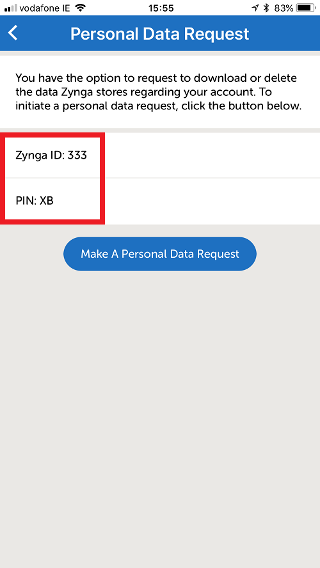
Here’s how you can get your Player ID and PIN for Crosswords with Friends:
_-_-_-_-_-_-_-_-_-_-_-_-_-_-_-_-_-_-
Crosswords with Friends Game GUIDE
Here’s how you can get your Player ID and PIN for Crosswords with Friends:
_-_-_-_-_-_-_-_-_-_-_-_-_-_-_-_-_-_-
Crosswords with Friends Game GUIDE