With iOS 13 released, you can now experience dark mode in Flipboard.Here are the steps:1. Open the Settings app on iOS2. Go to the "Display and Brightness" section3. Choose between Light and Dark appearance (see screenshot below)Now open Flipboard again and enjoy!For a bit more about the science and benefits of Dark Mode, we’ve curated this roundup of stories that explain the pros and cons of this feature. 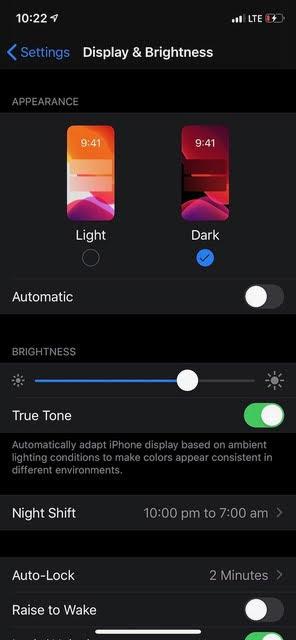
_-_-_-_-_-_-_-_-_-_-_-_-_-_-_-_-_-_-
Flipboard GUIDE